Themes
Matcha supports color themes to personalize the look of your terminal email client. Choose from built-in themes or create your own.
Changing the Theme
Go to Settings > Theme to browse available themes. A live preview panel on the right shows how each theme looks as you navigate the list. Press enter to apply the selected theme.
Your selection is saved to config.json and persists across sessions.
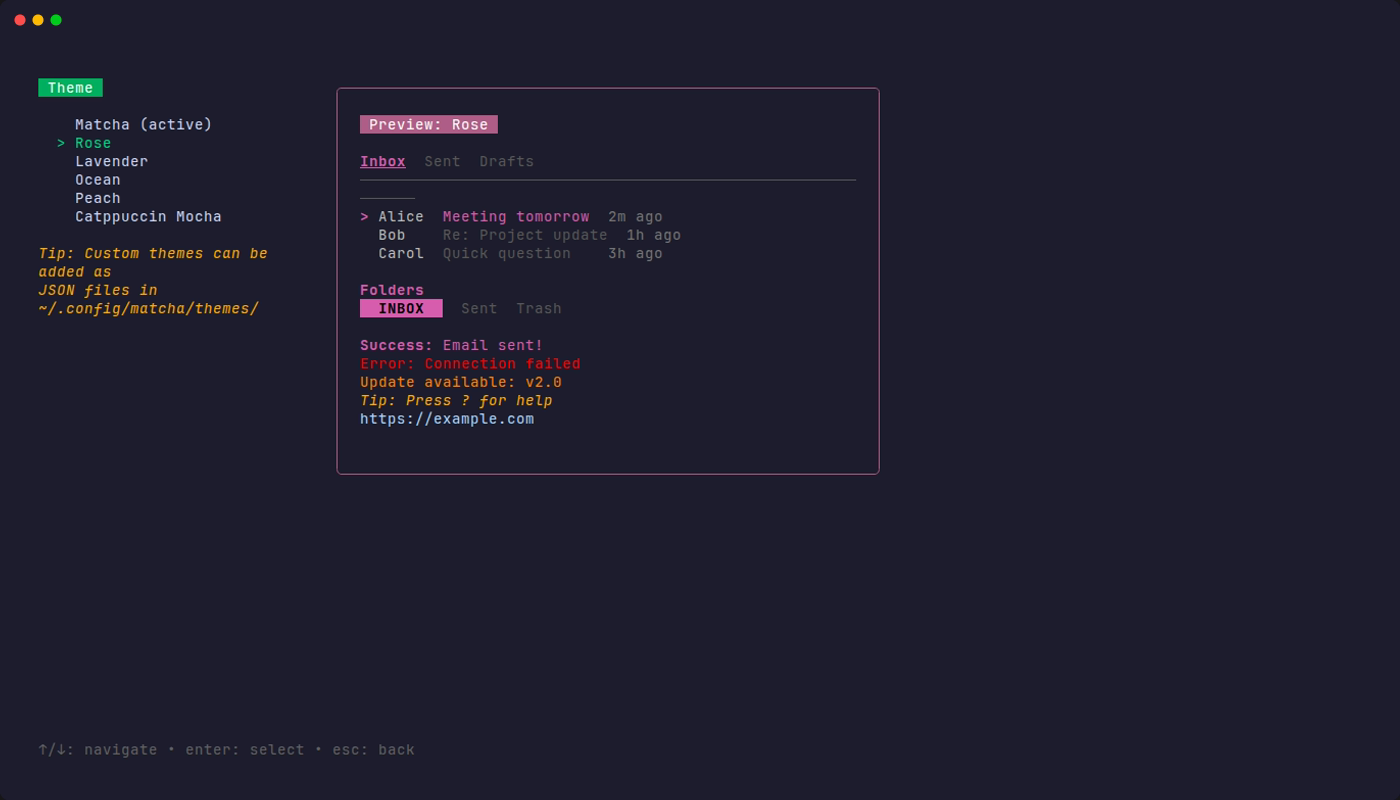
Built-in Themes
| Theme | Description |
|---|---|
| Matcha | The default green theme |
| Rose | Soft pink and rose accents |
| Lavender | Purple and violet tones |
| Ocean | Cool blue palette |
| Peach | Warm orange and peach tones |
| Catppuccin Mocha | Based on the popular Catppuccin color scheme |
Custom Themes
You can create your own themes by adding JSON files to ~/.config/matcha/themes/. Each .json file in that directory will appear in the theme picker.
Example Custom Theme
Create a file like ~/.config/matcha/themes/dracula.json:
{
  "name": "Dracula",
  "accent": "#BD93F9",
  "accent_dark": "#6272A4",
  "accent_text": "#F8F8F2",
  "secondary": "#6272A4",
  "subtle_text": "#6272A4",
  "muted_text": "#6272A4",
  "dim_text": "#F8F8F2",
  "danger": "#FF5555",
  "warning": "#FFB86C",
  "tip": "#F1FA8C",
  "link": "#8BE9FD",
  "directory": "#BD93F9",
  "contrast": "#282A36"
}
Color Properties
| Property | Used For |
|---|---|
accent | Selected items, focused elements, primary highlights |
accent_dark | Borders, title backgrounds |
accent_text | Text on accent-colored backgrounds |
secondary | Help text, blurred/unfocused elements |
subtle_text | List headers, hints |
muted_text | Dates, timestamps |
dim_text | Sender names, secondary info |
danger | Delete confirmations, errors |
warning | Update notifications |
tip | Contextual tips |
link | Hyperlinks in email content |
directory | Directory names in the file picker |
contrast | Text on accent-colored backgrounds (e.g. active folder) |
Colors can be specified as hex values (#BD93F9) or ANSI 256-color codes (42).